

Business card scanner for people & teams
Meet someone.
Make it count.
Turn a business card into a contact you can act on. Scan offline, review the details and give every good conversation a next step.
Your own contact book. A shared view for your team.
On the floor.
At your desk.
Always in context.
Capture on your phone. Review and organise in your browser. See the actual ScanMilo experience across three screens.
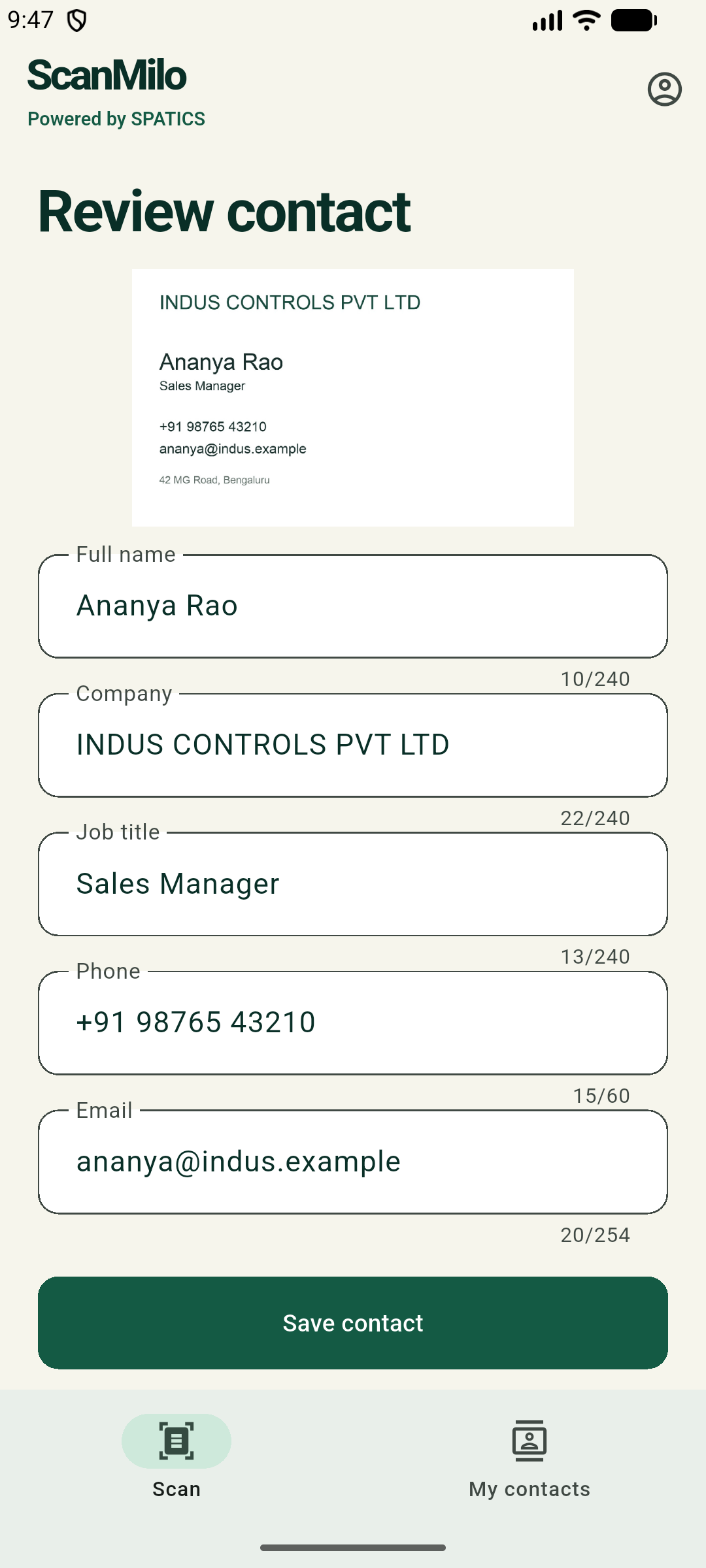
Get the details right, while the meeting is fresh.
Check the suggested name, company and contact details before saving. Keep your own scans on your phone, even without a connection.
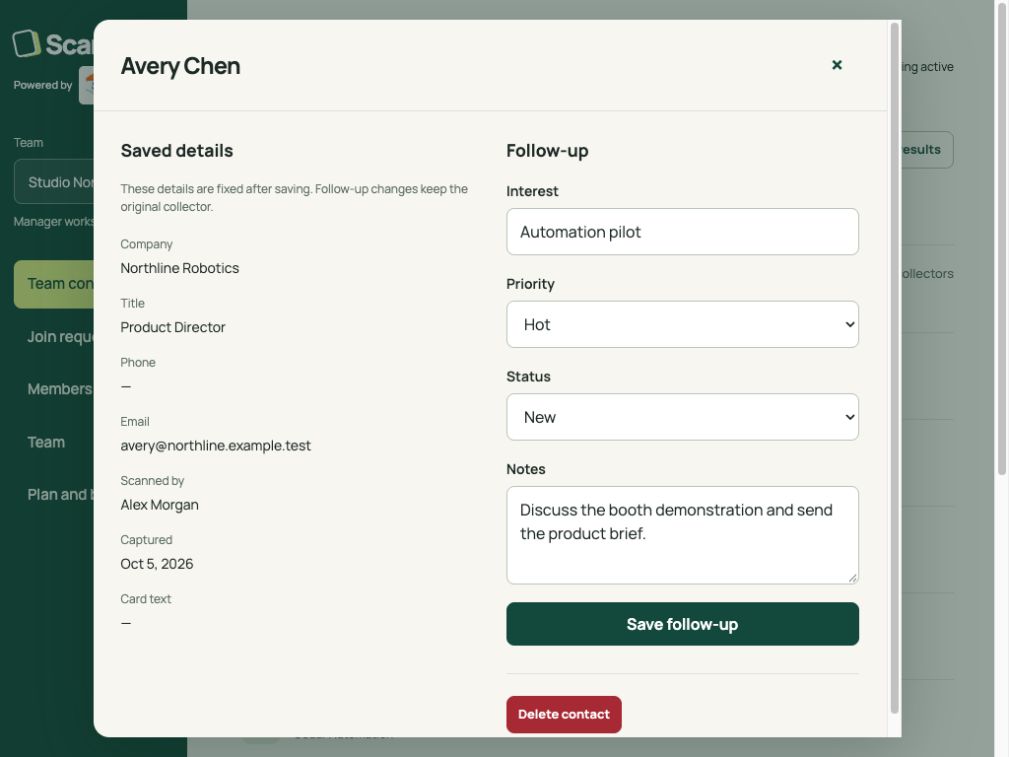
A little more room for the next step.
Open a saved contact, add notes and update follow-up status. Keep the conversation and the card together as you plan what comes next.
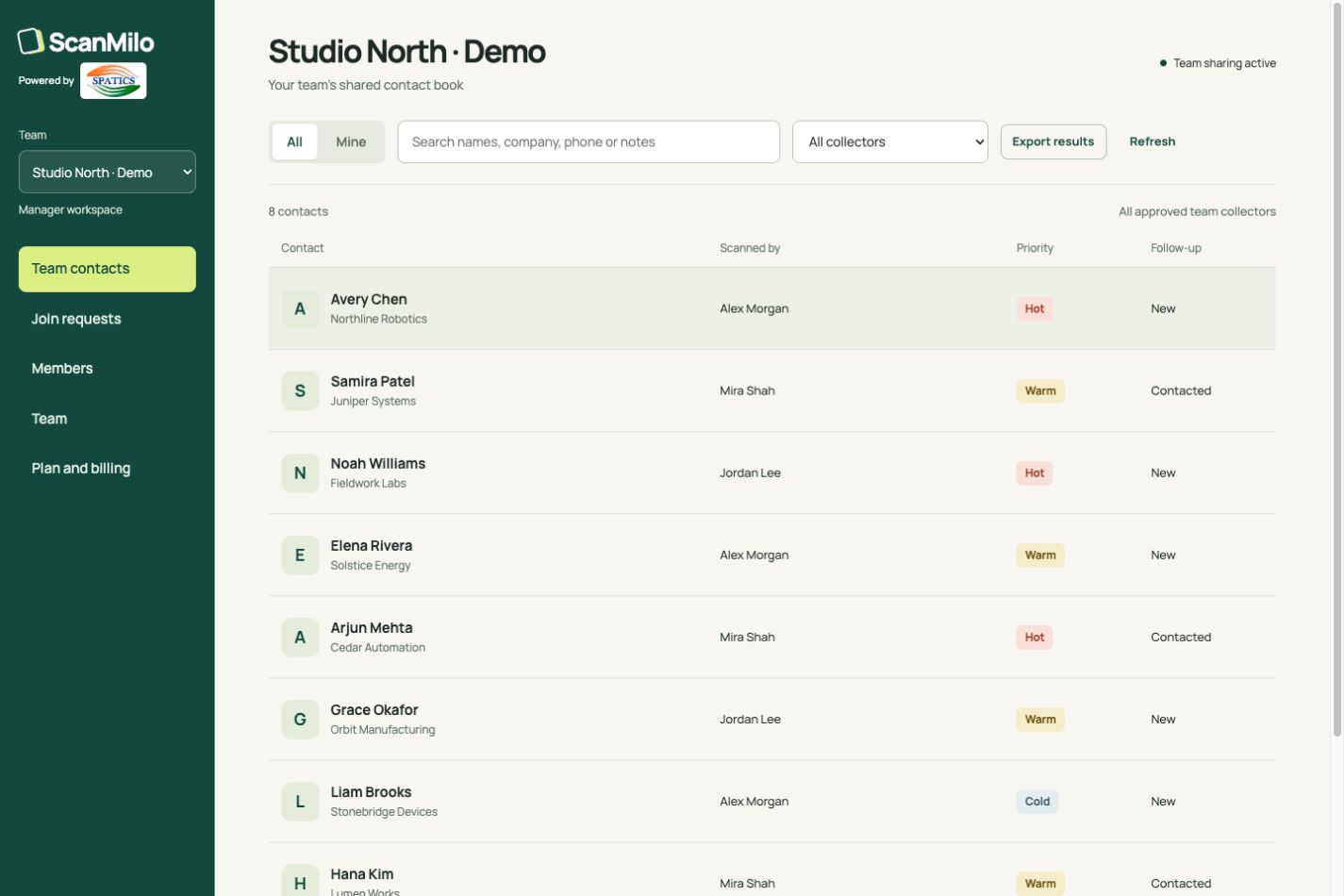
The whole team book, in one clear view.
Managers can review shared contacts, see who collected each card and organise follow-up. Members have a focused view of their own scans.
These are actual ScanMilo screens with demonstration data. Tablet and desktop screens show the browser workspace.
One card.
Three simple steps.
Less time sorting after an event.
More context when you follow up.
- 1
Scan the card
Take a photo or choose one from your phone. Latin and Devanagari text recognition works offline.
- 2
Review the details
Check the name, company, phone and email. Correct anything unclear before you save.
- 3
Make the next move
Add context from your meeting, share with your approved team and organise the follow-up.
Easy to join.
Clear about access.
From a busy exhibition booth to a field sales team, everyone knows where their contacts belong.
- 1
A manager creates the team
Start a workspace and share its invitation link or team code.
- 2
Members request to join
Sign in, use the invitation and send a request. A manager approves access.
- 3
Scan and share with confidence
Approved members can share their scans. Each shared contact shows who collected it.
The right view for each role
A team view with collector attribution.
A personal view within the workspace.
Contacts saved only on your phone stay there until you choose to share them.
Start free.
Grow with your team.
Keep every conversation on your device. Choose cloud backup and a team workspace when you need them.
10 free cloud scans, every month.
One personal workspace, 2 optional online AI suggestions a month, and unlimited offline scanning and saving. Your saved contacts stay readable and exportable.
Your first team gets a 14-day trial: 5 seats, 500 cloud scans and 50 online AI suggestions in total. No payment method is required, and trial expiry never starts a charge.
Paid plan recommendations are available in Plan and billing inside your workspace.
Proposed launch prices in INR, before applicable taxes. Paid scan and AI allowances renew each calendar month and are shared by each workspace. Checkout currently runs in sandbox mode; public live subscriptions are being prepared.
Bring your next
event into focus.
Try a better way to collect contacts with your team. Start in the workspace, or talk to us about using ScanMilo at your next event.
Email sign-in is available in the workspace. Subscription prices and store downloads will be published when available.
Your team trial includes
- 14 days to explore the team workspace
- Up to 5 approved members, including you
- Manager approval and role-based views
- Notes, follow-up and CSV export
Android and iOS builds are for testing. Store releases and paid subscriptions are being prepared.
A few things
to know.
Have another question?
scanmilo@spatics.in
Does ScanMilo work offline?
Yes. Business-card recognition and your own contact saves work on the phone. Sign-in, team approval and sharing need a connection. Scans made while approval is pending stay local until you choose to share them.
Will it always read a card perfectly?
Every business card is different. ScanMilo suggests fields using text and layout, but you should check the name, company, phone and email before saving. Latin and Devanagari recognition are bundled; image quality and script can affect results.
Who can see my contacts?
Within a ScanMilo workspace, approved members see their own scans. Managers see the shared team book. A photo or contact is protected by the same access rules. Contacts saved only on your phone are not shared automatically.
Does scanning send a message to the contact?
No. Scanning, saving or exporting a card does not send an email, SMS or WhatsApp message. You decide when and how to follow up.
Can I install it from the app stores?
ScanMilo is in pilot. Android test builds and an unsigned iOS build are available for testing; public Play Store and App Store releases are not published yet. Contact ScanMilo about pilot access.
What does ScanMilo cost?
Free includes 10 cloud scans each calendar month for one owner, with unlimited offline scanning and saving. New teams can explore a 14-day, five-seat trial. The prices above are proposed launch prices; Razorpay and Cashfree subscriptions currently use test checkout.
Make the next hello count.
Keep the card. Remember the conversation. Know the next step.